Augmented Reality vs. Virtual Reality
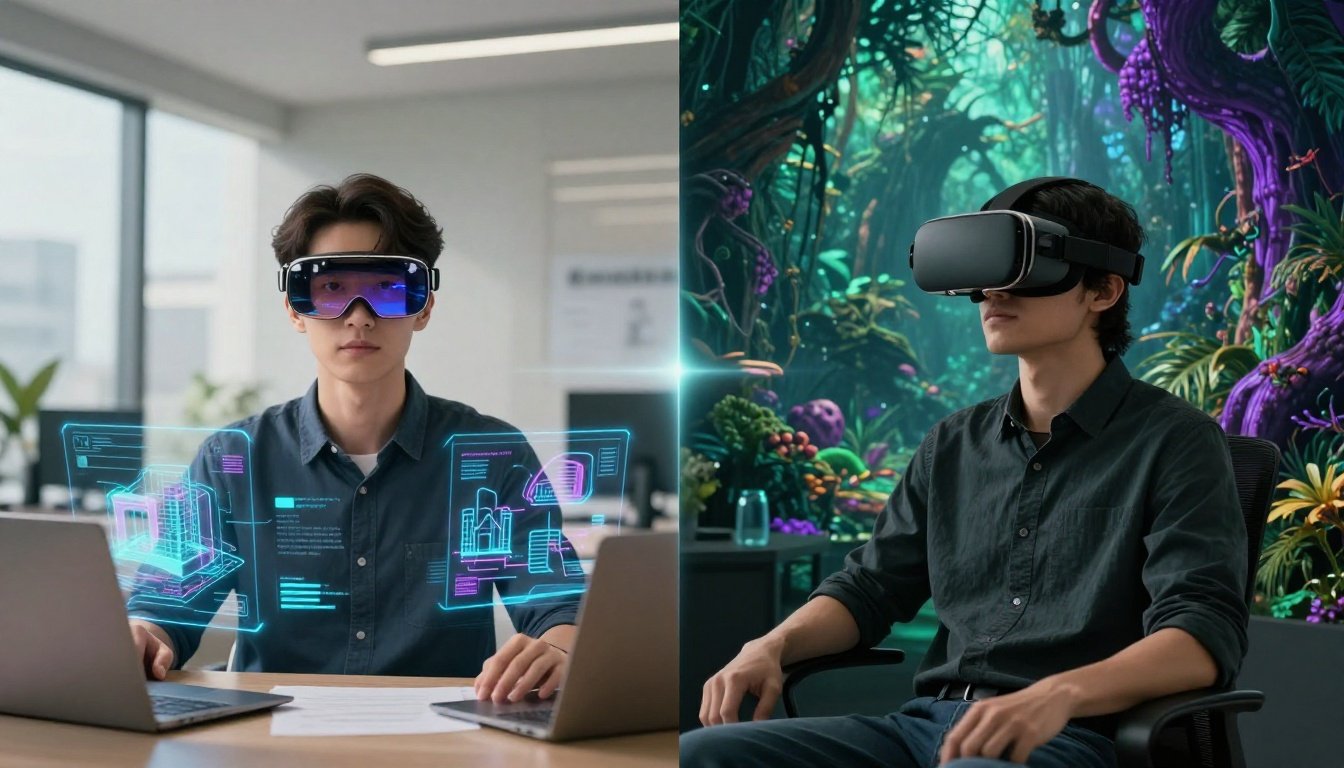
Immersive tech grabs headlines these days. You see it in ads for new gadgets and apps that promise to change how we work and play. Many folks mix up augmented reality (AR) and virtual reality (VR). This guide clears that up. We compare AR vs VR to show what sets them apart. You will learn their basics, hardware needs, user feel, uses, and future paths. The market for these tools hits $100 billion by 2026. It shapes gaming, jobs, shopping, and more.
Section 1: Defining the Core Concepts of AR and VR
What Exactly is Augmented Reality (AR)?
Augmented reality adds digital bits to your real world. It does not hide what is around you. Instead, it boosts it with info like maps or 3D models. Think of Pokemon Go on your phone. That game puts creatures on your street view.
AR needs real-time links between digital and physical spaces. Devices use cameras and sensors to track where you stand. They match 3D images to spots in your view. This setup lets you interact with added elements. For example, you point your phone at a shoe in a store. AR shows how it fits your foot size right there.
Understanding Virtual Reality (VR)
Virtual reality builds a full digital place. It blocks out your real room. You step into a new world made by code. Headsets like Oculus pull you in deep.
VR aims for total wrap-around. It hits your eyes, ears, and sometimes touch. Head-mounted displays are key. They show wide views that trick your brain. You feel like you are in the scene. Games or tours work best this way. No real world peeks in.
The Spectrum of Immersion: Mixed Reality (MR) Context
Mixed reality sits between AR and VR. It blends real and fake in smart ways. Devices let digital objects stick to real spots. You can move them around like toys on a table.
People often lump MR with AR or VR. But it stands out. AR adds light layers. VR swaps everything. MR lets you grab a virtual ball that rolls on your floor. This mix confuses new users. Yet it shows how these techs link up.
Section 2: Hardware and Equipment Requirements
Hardware Landscape for Virtual Reality
VR setups demand strong gear. Tethered headsets tie to a PC for power. They run big worlds with sharp details. Standalone ones like Meta Quest work alone. No wires, but less oomph.
Input tools matter too. Hand controllers let you grab items in VR. They track your moves with lasers or cameras. Haptic gloves add feel. You sense textures or pushes. Valve Index suits pros with high-res screens.
- Tethered: Best for home rigs with PCs.
- Standalone: Good for quick plays on the go.
- Cost: Starts at $300, up to $1,000 for top kits.
Hardware and Accessibility in Augmented Reality
AR uses everyday devices more. Your phone or tablet runs simple apps. Cameras overlay data fast. No big setup needed.
Special glasses like Microsoft HoloLens go further. They project holograms in air. But they cost more and weigh extra. Smartphones limit complex tasks. Their chips handle basic AR. Tablets offer bigger screens for work.
- Phones: Cheap entry, like IKEA app for furniture views.
- Glasses: Pro use, but bulky now.
- Limits: Battery drains quick on heavy apps.
Key Differentiating Factor: Field of View (FOV)
Field of view changes how real each feels. VR headsets hit 110 degrees or more. It wraps your sight like a movie theater. You forget the edges.
AR often sticks to smaller windows. Glasses show 40 to 60 degrees. Digital bits float in a frame. You see your full room around it. This keeps you grounded. But it can feel less magic.
Section 3: User Experience and Environmental Interaction
The Presence Factor: Immersion vs. Contextual Awareness
VR pulls you into "presence." You think you are really there. No real world distractions. It builds strong feelings. Like flying in a game.
AR keeps you aware of your spot. Digital adds help without takeover. You stay safe in traffic. Or fix a bike with on-screen steps. Why pick one? VR trains skills in safe sims. AR guides real tasks.
Take surgery training. VR lets docs practice cuts in fake bodies. AR shows live tips over a patient. Each fits its need.
Level of User Movement and Physical Space
VR asks for space. Room-scale setups track big steps. You dodge in games without walls. But clear a 10-foot area first.
AR works anywhere. Stand or walk in your world. No extra room. Phone AR apps run in parks. Just watch for bumps.
Movement differs too. VR teleports or smooth walks to cut sickness. AR ties to your real path. You follow actual streets.
Interaction Modalities: Gesture Control and Interface Design
VR uses controllers a lot. Wave them to point or shoot. Hand tracking grows. No gear needed sometimes.
AR taps screens or nods head. Visual hints link to objects. Point at a sign. Info pops up. Gestures feel natural in real spots.
Design shifts with each. VR builds full menus in air. AR pins buttons to tables. Both aim for easy use. But VR feels like a game pad. AR like a smart map.
Section 4: Primary Use Cases and Industry Adoption
Dominant Applications for Virtual Reality
VR shines where escape helps. Gaming leads with titles like Beat Saber. You dance in digital beats.
Training saves lives too. Pilots fly sims without risk. Soldiers drill battles safe. Therapy eases fears. Face heights in controlled steps.
- Gaming: 70% of VR use now.
- Military: Cuts training costs by 40%.
- Health: Helps PTSD patients.
Leading Industry Implementations of Augmented Reality
AR boosts real jobs. Retail lets you try clothes on via app. No store trip.
Manufacturing shows steps on machines. Workers assemble faster. Navigation apps overlay routes on windshields.
- Retail: Boosts sales 20% with try-ons.
- Factories: Lowers errors in builds.
- Cars: Safer drives with AR displays.
Market Size and Growth Trajectories (Data Focus)
AR market tops $50 billion in 2026. It grows 40% yearly. Phones drive most apps.
VR sits at $30 billion. Growth at 25%. Headsets push entertainment.
Both climb. AR leads in business. VR rules fun. By 2030, combined hits $200 billion. Stats from IDC show this split.
Section 5: Development Challenges and Future Trajectories
Technical Hurdles Specific to VR Development
VR fights motion sickness. Fast turns upset stomachs. Devs slow moves to help.
Rendering eats power. Real looks need strong GPUs. Lag breaks immersion.
Fixes come with better chips. Eye tracking cuts load too.
The Challenges of Seamless AR Integration
AR struggles with mapping. Digital must stick to real shifts. Light changes mess it.
Placement lasts across uses. Save a note on your desk. Find it next week.
Sensors improve this. AI helps track better.
Actionable Tip: Choosing the Right Technology Path
Pick AR for real-world adds. Like repair guides. It fits daily spots.
Go VR for full sims. Train in dangers without harm.
Match your goal. Test small apps first.
Conclusion: Separating the Real from the Virtual
AR and VR differ at the core. AR layers digital on your world. VR swaps it out for a new one. Each serves unique roles.
Key points stick out.
- Hardware: VR needs headsets and space. AR uses phones easy.
- Feel: VR immerses deep. AR keeps you linked to now.
- Uses: VR for games and sims. AR for work and shop aids.
They may blend more soon. MR bridges them. Try both to see what fits you. What tech will you pick next? Dive in and explore.
Related Articles
More in Tech Trends
The Definitive Guide to the Best Tech Trends Shaping 2026
The most important technology trends of 2026 that every professional and business leader needs to know.

Quantum Computing Explained: The Future of Computation Unlocked
A plain-English explainer on quantum computing — what it is, how it works, and when it will matter.

Blockchain Beyond Cryptocurrency: Unlocking the Enterprise Revolution
How businesses across supply chain, healthcare, and finance are using blockchain beyond Bitcoin.